 BeyondAwake
The alarm you turn off with a photo
BeyondAwake is an iPhone alarm that only stops when you get out of bed and point your camera at something. You choose what the night before. In the morning it keeps ringing until the camera sees it.

For iPhone and iPad. The yearly plan starts with a 7-day free trial.
How the photo alarm works
Choose your shot tonight
Pick Photo Match and take a photo of something away from your bed: the bathroom sink, the kettle, the front door.
It rings in the morning
On silent, through Focus, and again within a minute if you swipe it away.
Walk there and match it
Take the same shot. The alarm stops when the photo matches.
Three camera missions
Each one gets you on your feet in a different way.
Photo Match
Take a photo tonight, match it in the morning. Good for one fixed spot, like the bathroom.
Object Scan
Walk to an object you picked and scan it. You tick the objects you own, so it never asks for something you don't have.
Sky Photo
Point the camera at the morning sky. It gets you to a window, and daylight in your eyes.
Why a photo works when willpower doesn't
You can't take the photo from under the covers. By the time you've walked to the kettle and lined up the shot, you are standing, your eyes are open and the hard part is over.
Every mission
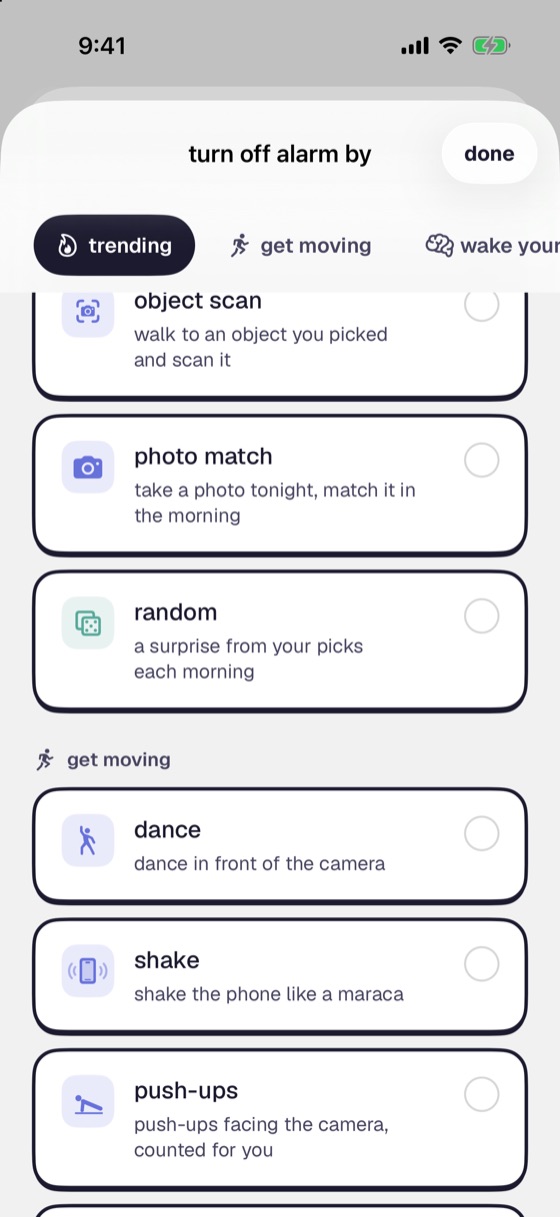
This is one of sixteen. Change yours for any alarm.
- Steps
- Shake
- Push-ups
- Dance
- Maths
- Memory
- Colour clash
- Save the Clock
- Typing
- Lane Dash
- Object Scan
- Photo Match
- Sky Photo
- Affirmation
- Say on Beat
- Random
Questions
Do my photos or camera footage leave my phone?
No. The camera is processed on your iPhone while the mission runs, and nothing it captures is sent to us.
What happens if I swipe the alarm away?
It comes back within a minute, and it keeps coming back until the mission is done.
Does it ring if my phone is on silent?
Yes. It rings on silent and through Focus. It also survives a force-quit and a restart. Setup Check runs through permissions, volume and Focus before you sleep, so you know it will ring.
What if I really can't do the mission one morning?
There is an emergency stop for those mornings. It costs you a level, and you can switch it off in settings if you don't want the way out.
Made for heavy sleepers like you
Set tomorrow's alarm tonight and pick the mission that gets you out of bed.